
 iOS App
  Android App
 Study tips
The Pomodoro Technique for Studying: Why It Feels Wrong (And How to Make It Actually Work)
Andy Anderson
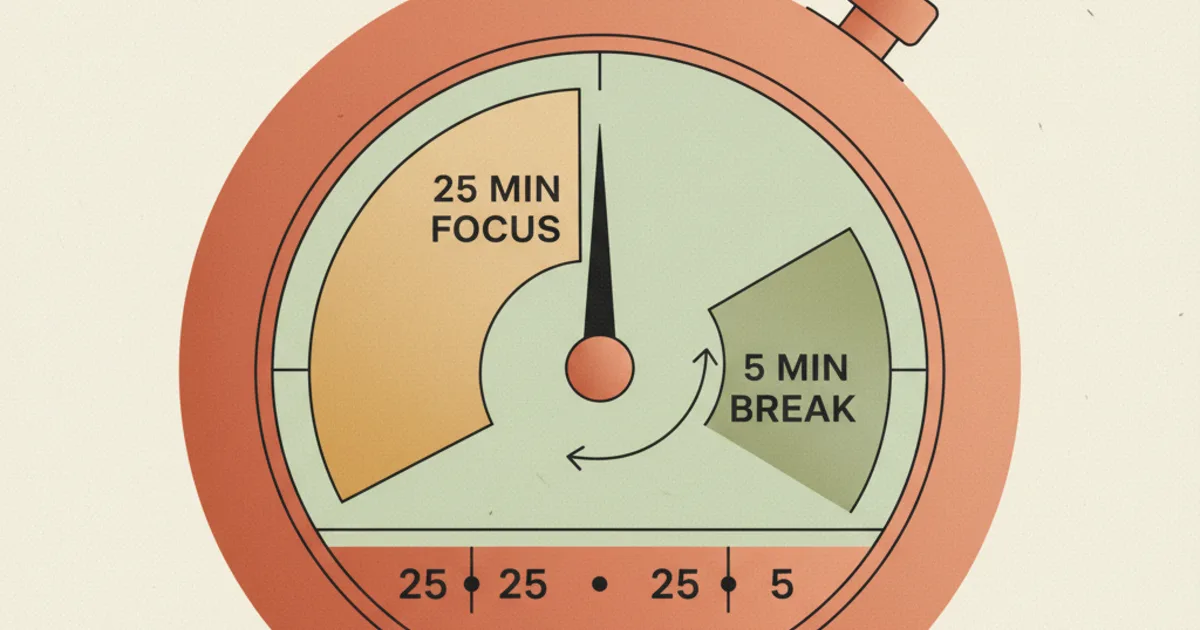
You've seen the advice a hundred times.
Set a timer for 25 minutes. Study.
Take a 5-minute break. Repeat. After four pomodoros, take a longer break. The Pomodoro Technique is everywhere in study advice, and for a lot of students, it doesn't work.
One Reddit user put it bluntly in a thread that picked up thousands of upvotes: *"Everyone swears by it but it seems so ineffective. Breaks feel too short and I never feel focused when I'm actually supposed to study.
I find just sitting down and studying for 2-3 hours straight works much better than taking 5 minutes every 25 minutes." *
That post has 36 replies, most of them saying the same thing in different words. The Pomodoro Technique is widely recommended and widely abandoned. The problem isn't you.
The problem is that the standard version of the technique was designed as a productivity system for office workers processing invoices. It wasn't designed for the cognitive demands of learning dense, difficult material. When you apply it directly to a biochemistry exam, the intervals don't add up.
Here's what the science says, and more importantly, how to fix it.
Why the Original 25-Minute Interval Is Arbitrary
The Pomodoro Technique was developed in the late 1980s by Francesco Cirillo, who used a kitchen timer shaped like a tomato (pomodoro in Italian) to track his work intervals.
He settled on 25 minutes because it worked well for the type of shallow, processing-heavy office tasks he was applying it to. There was never a neuroscientific study behind the number.
It was an empirical guess that became a default.
When you're reading a textbook, processing complex concepts, and trying to build long-term memory, the cognitive demands are fundamentally different from answering emails. The 25-minute interval isn't sacred.
It isn't even optimized. A 2023 study published in PubMed that compared systematic breaks against self-regulated breaks during real study sessions found that students who had any structured break system performed better than those with no structure at all, but the ideal interval length varied significantly depending on task difficulty and individual differences in sustained attention capacity.
The first thing to understand is that 25 minutes is a starting point, not a rule.
What Is Actually Happening During a Study Session
The reason Pomodoro fails for most students isn't discipline. It's attention regulation.
Your brain has two major networks that matter here.
The first is the Task Positive Network, which activates during focused, goal-directed cognitive work. The second is the Default Mode Network, which activates during mind-wandering, self-referential thinking, and memory consolidation.
When you aren't doing anything in particular, the Default Mode Network is your brain's resting state.
Staying focused isn't a matter of trying harder. It's a matter of keeping the Task Positive Network active and the Default Mode Network suppressed.
That suppression requires a continuous reward signal. When you're passively reading a textbook, the brain checks for a reward signal roughly every few minutes. Finding none, it starts to drift. That isn't a character flaw. That's your brain doing exactly what it evolved to do, which is seek feedback.
This is why active recall changes the experience of studying in ways that passive reading never will. When you generate an answer from memory, your brain registers a micro-completion event. That small reward signal keeps the Default Mode Network suppressed and the focus state active.
The standard Pomodoro Technique doesn't account for this at all. It gives you a timer but no mechanism inside the work block to generate the reward signals that sustain attention.
The Three Reasons Students Fail at Pomodoro
1. The Break Destroys Momentum
The 5-minute break is the point where most Pomodoro sessions collapse.
You've been studying for 25 minutes. You stand up.
Your brain wants immediate feedback. The break is supposed to be a rest but it's also an open loop. The moment you pick up your phone, you aren't resting. You're filling the gap with something more immediately rewarding than studying, which makes the return to focus harder, not easier.
The research on this is clear: switching to a high-reward, low-effort activity during a break doesn't restore cognitive resources the way a low-effort, low-reward activity does. Scrolling Instagram or checking messages isn't a break for your attention systems. It's a competing demand that makes the next focus block harder to start.
2. The Fixed Interval Ignores Task Difficulty
Not all study material requires the same type of cognitive effort. Reading a familiar overview chapter might sustain your attention for 40 minutes without trouble. A new, dense chapter with technical vocabulary and complex relationships might exhaust your working memory in 15. Treating both with the same 25-minute interval means you're either under-challenging easy material or setting yourself up to fail on hard material.
Cognitive load theory, developed by John Sweller, describes how intrinsic load varies by material complexity. The Pomodoro Technique treats all material as equal weight, which is why it works well for simple administrative study tasks and falls apart for anything that requires genuine cognitive effort.
3. There Is No Retrieval Built Into the Work Block
The original Pomodoro Technique tells you to work during the interval and stop when the timer rings. It doesn't tell you to close the book at minute 23 and write down everything you can recall before the break.
This is the single biggest gap. Roediger and Karpicke's research on the testing effect, published in Psychological Science in 2006, showed that retrieval practice produces substantially better long-term retention than passive review. But it also produces something that passive review can't: a reward signal that sustains attention.
Without retrieval, the work block is passive by design. Your brain is putting in effort but not receiving the feedback it needs to stay engaged.
How to Rebuild Pomodoro for Actual Studying
Customize Your Intervals Based on Material
Start with 25 minutes as a baseline, but adjust.
For difficult new material, try 15-minute blocks with 3-minute breaks. For review of familiar material, try 45-minute blocks with 10-minute breaks.
The goal is to end each block slightly before your attention starts to degrade. If you notice yourself re-reading the same sentence around minute 18, that's your data. Adjust downward.
Piply's session timer lets you set custom intervals per session rather than being locked into a single default. This means a chemistry session and a history session can use different structures without you having to manually reset a timer each time.
Make the Break Actually Rest Your Attention
A real break doesn't compete with your study focus. It fills the gap with something low-reward enough that the return to study feels like an upgrade. Stand up and get water. Stretch for two minutes. Step outside. Set a firm five-minute timer so the break doesn't expand into twenty minutes of lost time.
The goal is a clean handoff. Study block ends, break happens, study block begins. No decision about what to do during the break. The structure does that work for you.
Add Retrieval to Every Work Block
Before every break, close your materials and write down the three most important things from the last block. Not copy from your notes.
Generate from memory. This takes 90 seconds and does two things: it strengthens the memory trace through the testing effect, and it gives your brain a completion signal that suppresses the Default Mode Network and makes the return to focus easier.
Over a full study session, this compounds. Instead of four passive reading intervals, you've four retrieval intervals that each strengthen the material and each reset your attention state for the next block.
Track What You Covered, Not Just How Many Pomodoros You Finished
Most students count pomodoros as a proxy for productivity. Four pomodoros completed means a good study session, right? Not necessarily. You could complete four pomodoros of passive re-reading and remember nothing. What matters isn't the number of intervals but what happened inside them.
Keep a simple log: what topic, how many recall rounds, what felt hard, what felt fluent. After a week of this, you have a data set about your own attention patterns that's worth more than any generic study schedule. You know which subjects need shorter intervals, which days of the week your focus is strongest, and which material requires retrieval-heavy approaches versus familiarization-heavy approaches.
The Gamification Layer That Makes It Stick
There's a reason students who gamify their study sessions report higher consistency and better retention. The dopamine system that makes video games addictive is the same one that can make studying sustainable if you give it the right feedback structure.
Piply was built around this principle. The session timer handles the Pomodoro structure so you don't have to manage it manually. The streak system tracks that you showed up today and yesterday. The recall-based study tasks inside each session generate the retrieval events that keep your attention active without you having to remember to do them. The progress log shows you what you covered so the session feels like advancement rather than time spent.
The standard Pomodoro Technique gives you a tomato timer. Piply gives you a system that handles the timer, the retrieval prompts, the streak motivation, and the session log in a single focused workspace. You show up. The structure does the rest.
The students who sustain focus across a full study session aren't the ones with more willpower. They're the ones who accidentally built a system that generates continuous micro-rewards through active engagement. You can engineer that on purpose, and the right tool makes it automatic.
Try Piply's Free Pomodoro Timer
Ready to study with a Pomodoro timer built specifically for students? Piply's free Pomodoro timer runs in your browser with no ads, no installation, and customizable interval lengths so you can find the rhythm that actually works for your brain.
Put the ideas into practice
Use Piply to organize materials and practise what you’re learning.
Try Piply